Who is this for? #
Any Administrator who needs to update who shows up in the Presto Assistant system as the lead director for an organization.
Tip
The lead director was previously called the head director. Presto now uses "lead director" everywhere.
Prerequisites #
- The system will only allow setting a member of the Presto organization as the lead director if they have signed in before. If the new lead director needs to set up their user profile, this support article will help.
Detailed steps #
Sign in to your Presto Assistant Admin Portal.
Navigate to the Organizations page.
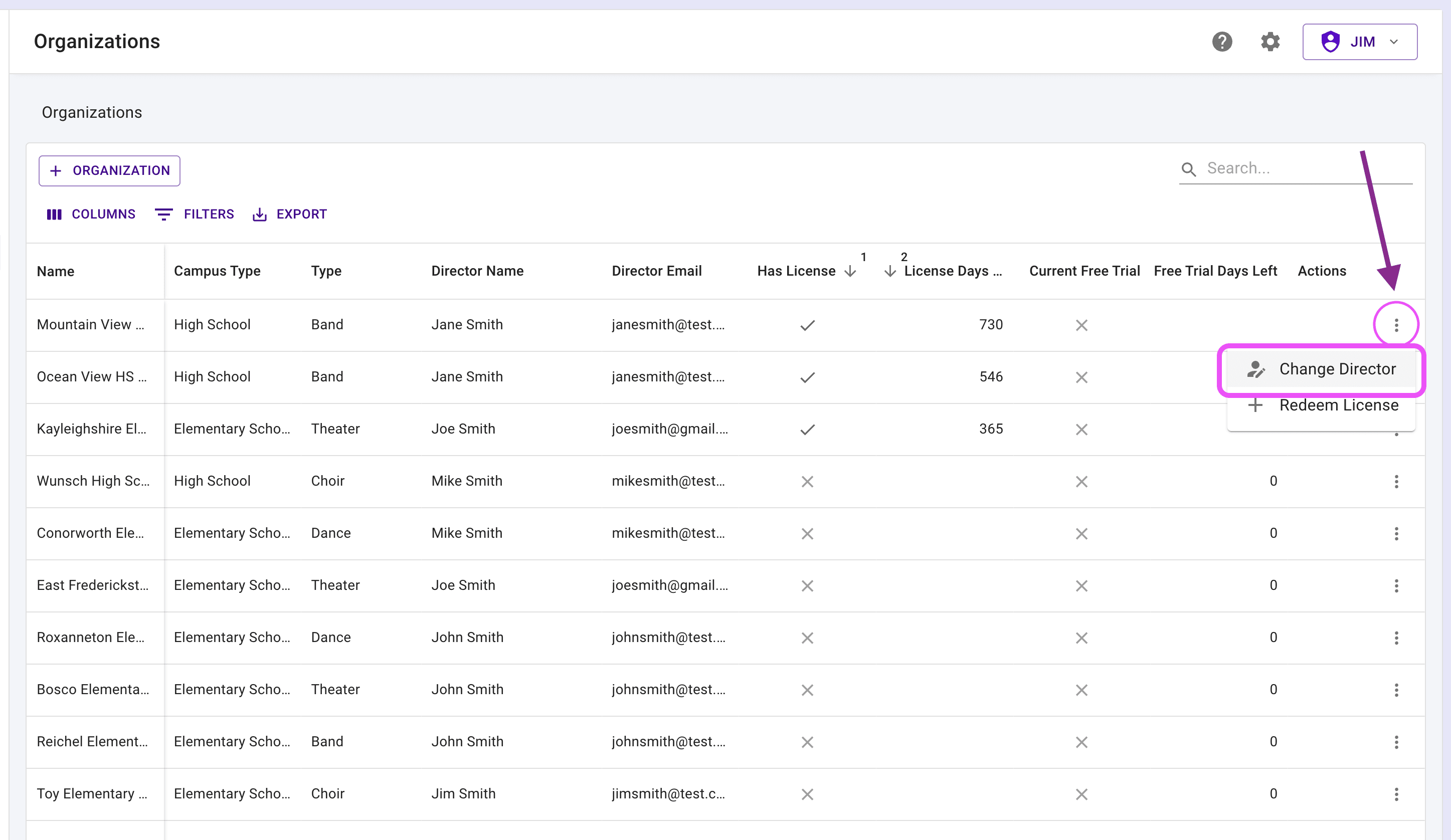
In the Organizations table, choose "Change Lead Director" from the "More Actions" menu on the row of the organization you need to update.
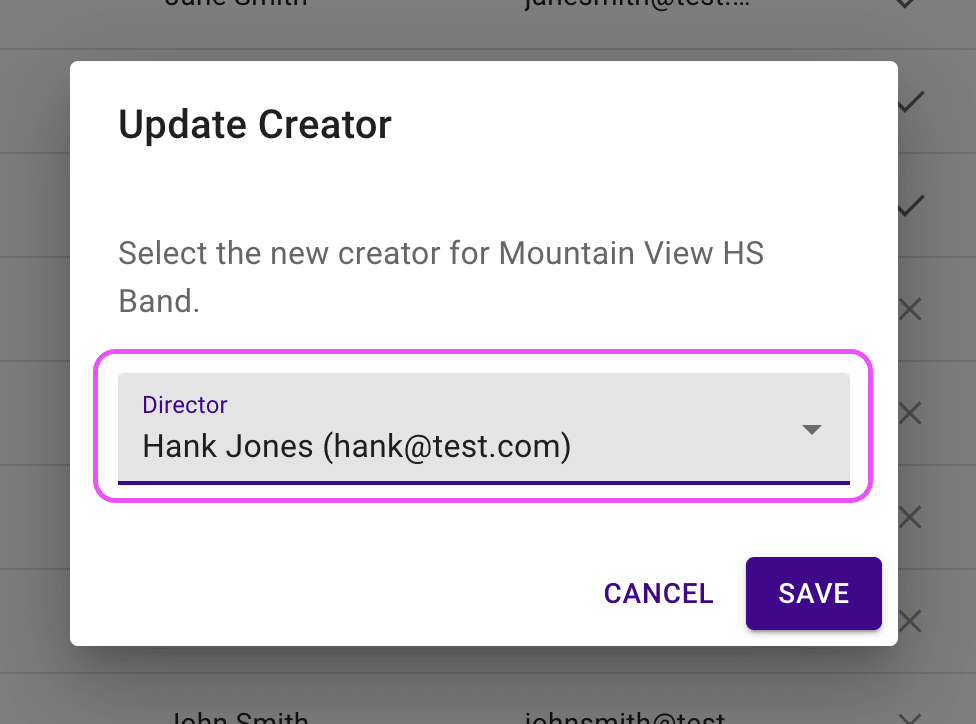
- In the "Update Lead Director" dialog, pick a different director in the organization from the Director menu, then press "SAVE".
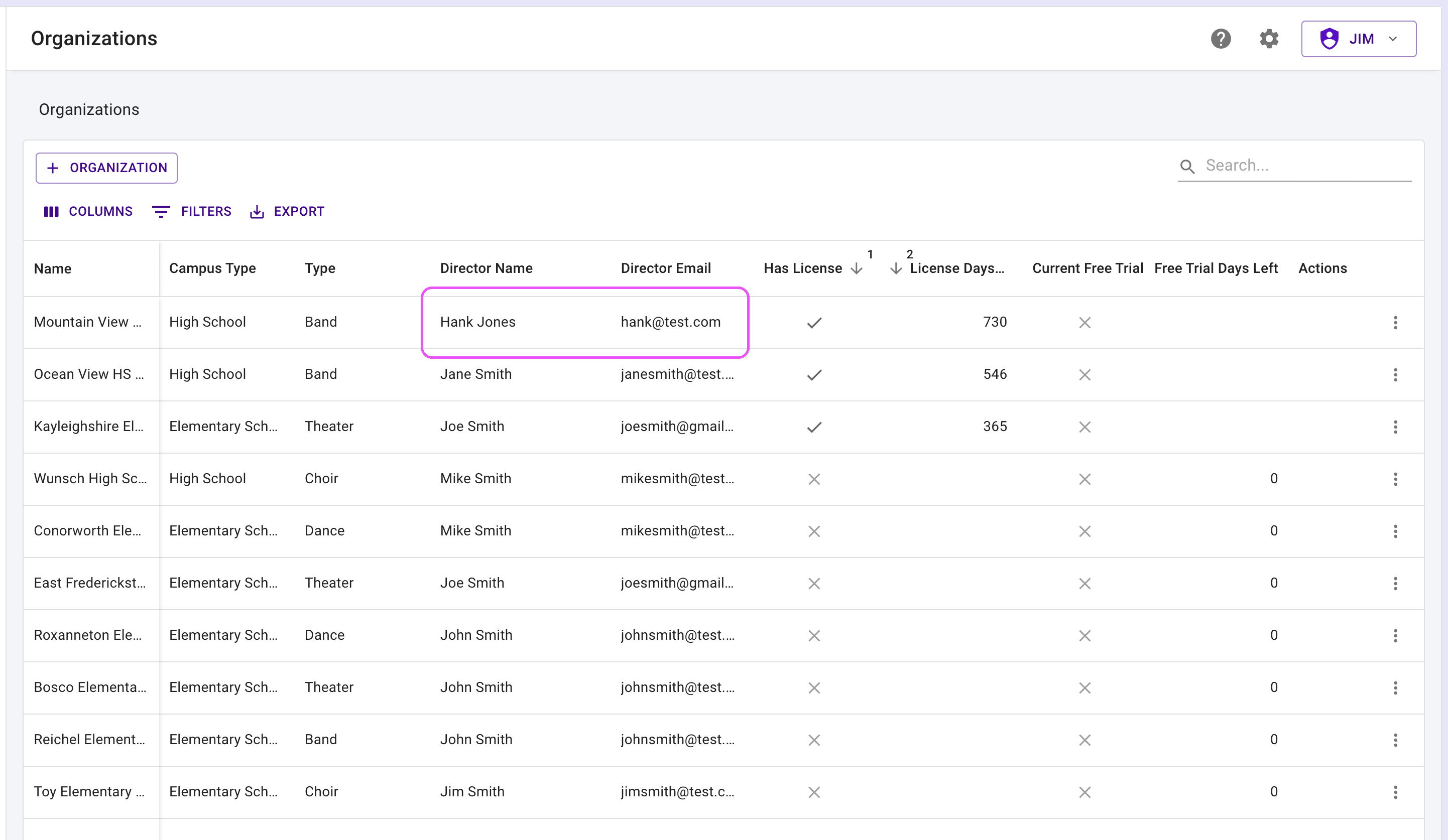
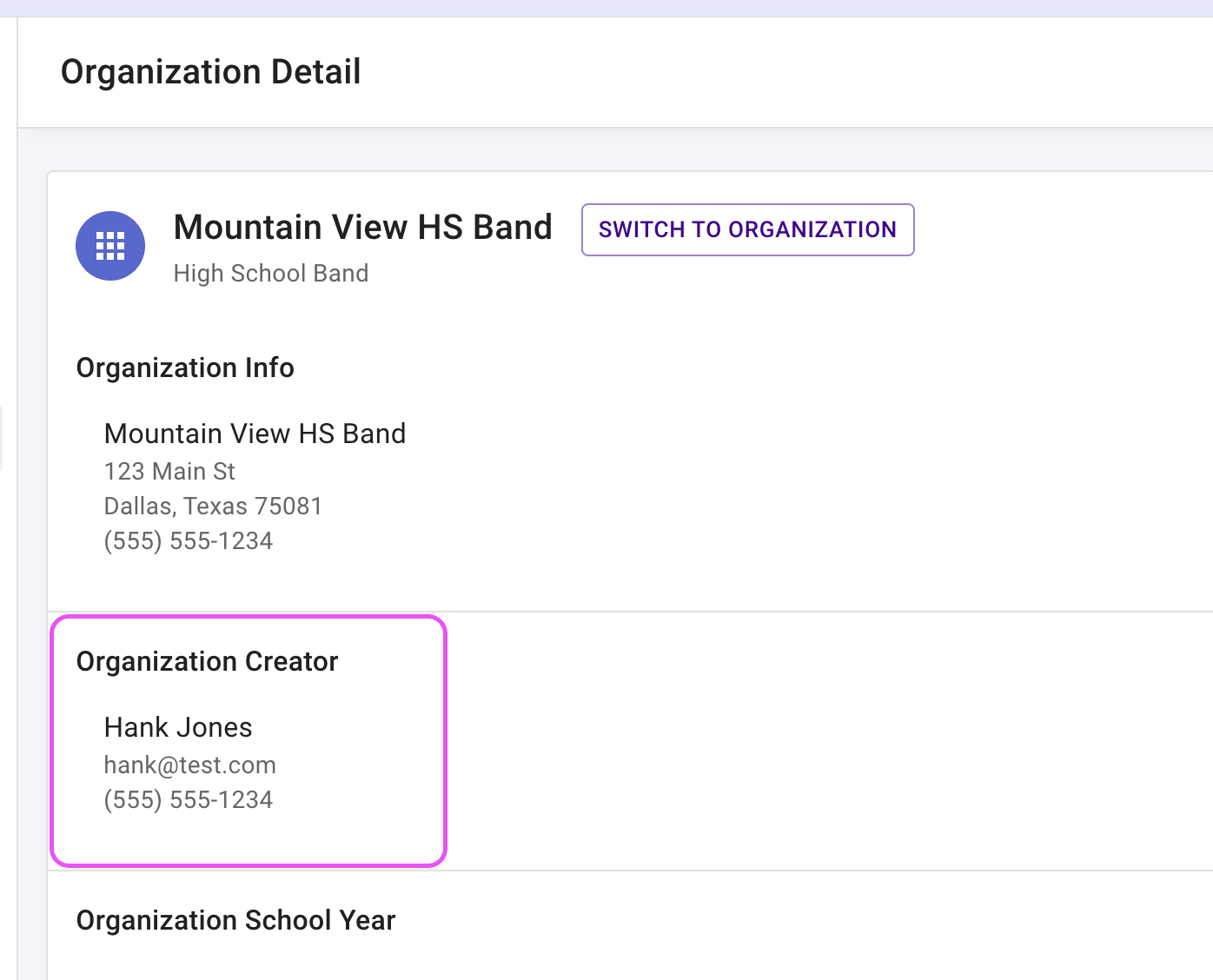
- The Organizations table and the organization's details page will now show the new director as the lead director.
Next steps #
- You can also change an organization's lead director straight from the Directors page in your Admin Portal, without opening the Organizations table. Read this support article titled "Manage Directors in Your Admin Portal" for detailed steps.
- If needed, you can also remove any director using the "Switch to Organization" button on an organization page. Find the director, edit the director's information, and press the "Remove Member" button near the bottom of the page.
- Read this support article for detailed steps.