Who is this for? #
An Administrator managing an Admin Portal whose organizations either aren't permitted to describe member charges as "fees," or would rather use "pledge" language when asking families for money.
Why organizations use this #
In California, public school students can't be required to pay a "pupil fee" under the California Education Code to take part in a school-sponsored educational activity — including band, choir, and other programs a booster club supports — so California districts and booster clubs are often told to describe the same charge as a pledge, donation, or suggested contribution instead.
Organizations outside California aren't usually bound by a law like this, but may still prefer "pledge" language for the same reason — it reads as a request for support rather than a mandatory charge, which can make it easier to raise money from families and donors.
This setting doesn't change how Presto Assistant works — payments, due dates, and financial reporting all function exactly the same. It only changes the word used throughout the app, from "Fee"/"Fees" to "Pledge"/"Pledges."
Tip
Renaming "Fee" to "Pledge" is a wording change, not a compliance guarantee. Whether a charge is truly voluntary depends on how your organization actually enforces it (for example, whether a member can still participate without paying). Check with your district or legal counsel to confirm what's required for your organization.
Detailed steps #
- From your Admin Portal, click the gear icon at the top, then click See all settings.
- Scroll down to Feature Settings, then look in the Finances group.
- Enable the toggle next to Rename Fee to Pledge.
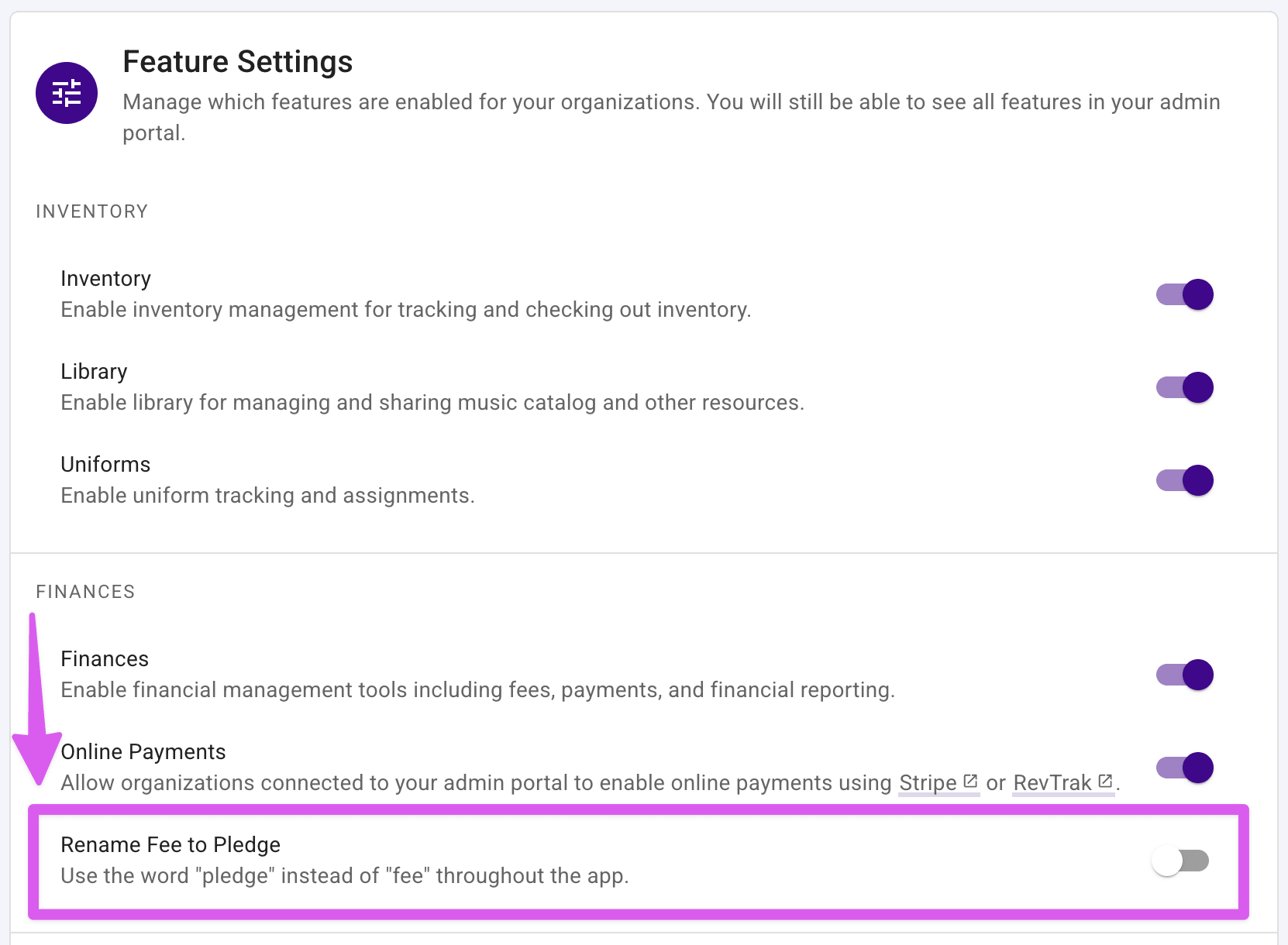
That's it — the change takes effect immediately for every organization connected to your Admin Portal.
What changes when this is enabled #
Once turned on, every place in Presto Assistant that would normally say "Fee" or "Fees" instead says "Pledge" or "Pledges," including:
- The left navigation menu
- The Dashboard financial overview cards
- The Fees table, and the New/Show fee pages
- Financial statements and financial credit pages
- End-of-year review screens
This applies organization-wide — it affects what all directors, staff, parents, and students see, not just your own view as an administrator. Turning the setting back off at any time restores the word "Fee" everywhere.